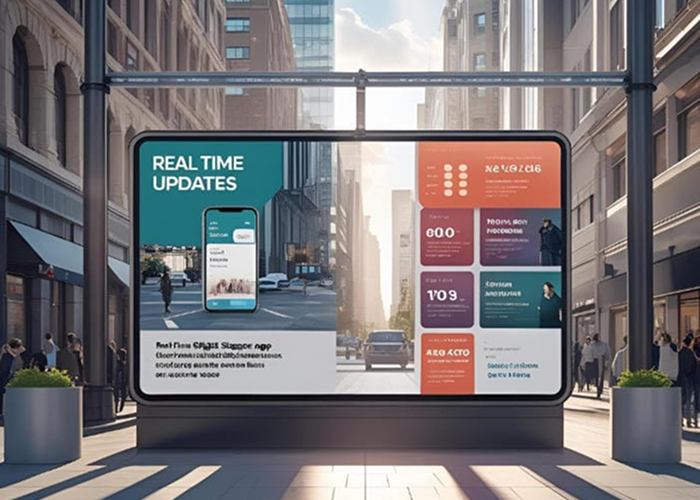
Digital signage is most effective when the information displayed on screen reflects what is happening at that moment. Outdated promotions, incorrect event schedules, unavailable products, or delayed safety messages can quickly create confusion and reduce audience trust.
This is where real-time digital signage makes a significant difference. Instead of waiting for the next scheduled content cycle, organizations can update their screens immediately or use connected data sources to publish information automatically.
A retail store can change promotions according to current inventory. A restaurant can update digital menu boards when an item becomes unavailable. A corporate office can instantly announce a meeting room change, while a transportation hub can display live arrival and departure information.
Real-time updates turn screen networks into responsive communication channels. They help businesses provide accurate information, improve customer engagement, respond to urgent situations, and manage content across multiple locations without increasing manual workload.
Understanding the Opportunity
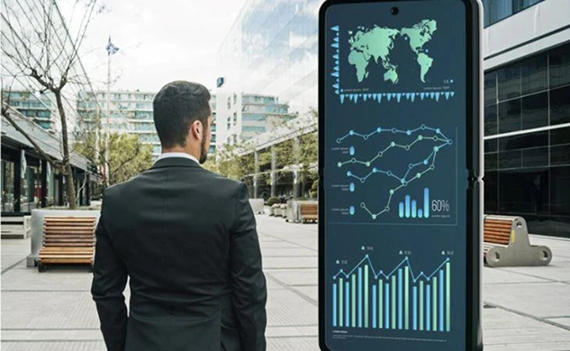
Real-time digital signage refers to a screen communication system in which content can be updated with minimal delay. These updates may be published manually through a central content management system or triggered automatically by live data, business applications, schedules, and predefined rules.
Common real-time digital signage applications include:
- Emergency alerts and safety instructions
- Live weather, traffic, and news feeds
- Product availability and inventory updates
- Digital menu board changes
- Event schedules and room information
- Queue status and estimated waiting times
- Transportation arrivals and departures
- Internal announcements and operational messages
- Location-specific campaigns and promotions
For example, a retailer can connect its screen management platform to an inventory system. When a product sells out, the related promotion can be removed automatically and replaced with an available alternative. This prevents customers from seeing offers that the store cannot fulfill.
The same principle applies to event venues. If a session changes rooms or starts later than planned, the new information can be distributed across relevant screens immediately. Visitors receive accurate directions without relying on printed notices or individual staff members.
Real-time communication is particularly important during an emergency. Authorized teams can interrupt regular content and display evacuation instructions, security notices, severe weather warnings, or other emergency alerts across selected screens.
Because the network is managed centrally, different messages can also be sent to different buildings, floors, regions, or audience groups. This enables organizations to provide instructions based on the location and nature of an incident.
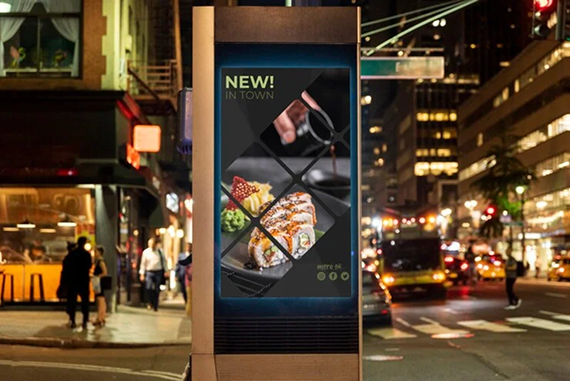
Dynamic signage also creates new opportunities for marketing. Campaigns can respond to time of day, local weather, customer demand, audience behavior, or product availability. A café might promote breakfast items in the morning and cold drinks during warm weather. This makes screen content more contextual without requiring teams to create every update manually.
Implementation Tips and Best Practices
Successful real-time digital signage requires more than simply connecting screens to a live feed. Organizations need reliable data sources, clear responsibilities, content priorities, and fallback plans.
The first step is to determine which content genuinely needs to be updated in real time. Emergency alerts, operational information, inventory messages, and transportation data may require immediate changes. Brand content and general service information can usually follow a regular publishing schedule.
Establish a content hierarchy
Not every message has the same level of importance. Emergency communication should always take priority over promotions, entertainment, and routine announcements.
A clear content hierarchy helps the system decide what to display when several messages compete for the same screen. Organizations should define priority levels before launching real-time updates.
Connect reliable data sources
Live content is only valuable when the underlying information is accurate. Digital signage software should integrate with trusted systems such as inventory platforms, calendars, business intelligence tools, emergency notification systems, weather services, and transportation databases.
Teams should regularly review data quality, integration health, user permissions, and synchronization frequency.
Use approved content templates
Pre-approved templates allow users to create and publish updates quickly while preserving brand consistency. Templates can control typography, colors, logos, image placement, message length, and required information.
This is especially useful for organizations in which multiple departments or locations contribute content to the same digital signage network.
Prepare fallback content
Every live data feed should have a fallback option. If a connection becomes unavailable, screens should display an appropriate default message rather than an error, blank area, or inaccurate information.
Cached content can help screens continue operating during temporary internet or network interruptions.
Define roles and permissions
Access to the screen management platform should reflect each team’s responsibilities. Marketing teams may control campaigns, operations teams may manage service information, and security teams may be authorized to publish emergency alerts.
Approval workflows can provide additional protection for sensitive or network-wide communication.
Test critical scenarios
Emergency alerts should be tested before they are needed. Organizations should confirm that alerts reach the correct screens, override scheduled content, remain readable, and can be removed when the situation ends.
Routine testing also helps teams identify offline screens, integration failures, or outdated device configurations.
Keep messages easy to understand
Real-time updates must communicate information quickly. Use concise language, readable typography, strong color contrast, and a clear visual hierarchy.
The amount of information shown should reflect the screen’s location, viewing distance, and average audience dwell time. A viewer passing through a corridor needs a shorter message than someone waiting in a reception area.
Measuring Success and Optimizing Results
Like any business communication channel, real-time digital signage should be evaluated against measurable goals. The right metrics depend on whether the objective is to increase sales, improve customer experience, reduce waiting times, support employees, or strengthen operational communication.
Useful digital signage metrics include:
- Screen availability and uptime
- Successful content delivery rates
- Time required to publish an update
- Sales linked to displayed promotions
- QR code scans and call-to-action responses
- Changes in queue or service times
- Product sell-through and inventory performance
- Employee acknowledgment or response rates
- Emergency alert delivery speed
- Audience attention and interaction data
For accurate ROI measurement, organizations should compare results before and after introducing real-time updates.
A retailer might compare the performance of fixed promotions with campaigns triggered by inventory levels, time, or weather conditions. A corporate communications team might measure how much time is saved by replacing printed announcements with centrally managed screen updates.
Technical performance should also be monitored. Offline screens, delayed data feeds, or failed updates can reduce the effectiveness of the entire network. Automated device monitoring helps teams detect and resolve these issues before they affect the audience.
Analytics can then support continuous campaign optimization. If certain live content receives limited engagement, teams can adjust its timing, placement, design, or call to action. If location-specific messages consistently perform better, the organization can introduce more targeted publishing rules.
Conclusion
Real-time communication allows digital signage to become more relevant, responsive, and useful.
From emergency alerts and operational announcements to inventory messaging, live schedules, and contextual promotions, real-time digital signage helps organizations communicate accurate information when audiences need it most.
The strongest results come from combining reliable digital signage software with trusted data sources, clear workflows, approved templates, fallback content, and continuous performance measurement.
As customer and employee expectations continue to evolve, static and outdated messaging will become less effective. Organizations that invest in real-time updates will be better positioned to improve audience engagement, react to changing conditions, and manage communication consistently across every screen and location.

Frequently Asked Questions
Real-time digital signage is a screen communication system that allows content to be updated immediately or automatically in response to live data, business events, schedules, or predefined rules. It helps organizations display accurate and timely information across one or multiple locations.
Businesses can display emergency alerts, inventory availability, menu changes, weather information, transportation schedules, queue status, event updates, social media feeds, operational announcements, and context-based promotions
It improves engagement by making screen content more relevant to the audience’s current location, needs, and situation. Timely information is generally more useful and more likely to encourage attention or action than generic, scheduled messaging.
Screens can continue displaying cached or fallback content if the digital signage platform and media players support offline playback. Live feeds may stop updating during an outage, which is why every critical integration should include an appropriate fallback message.
Businesses can track metrics such as promotion-driven sales, QR code scans, publishing speed, screen uptime, queue times, inventory performance, operational time savings, and audience engagement. Comparing these results before and after implementation can help demonstrate business impact.